Evidence reviewed:
Amazon.de · Germany
Amazon’s German consumer marketplace. Compare seller fulfilment and Fulfilment by Amazon; do not assume a category example permits a particular SKU.
Platform policies and API grants may depend on the seller, market, product and partner approval. A documented capability is not a guarantee of account access.
Seller setup and requirements
- Business registered in the target market
- Conditional. Seller verification and applicable SKU, brand and fulfilment requirements remain.
- Business registered outside the target market
- Conditional. Amazon documents one route from the United States via a Europe seller account. Confirm the registration, destination, fulfilment and SKU requirements applicable to your origin.
-
Choose the app model first: an approved Professional seller account for a self-authorized private seller app, or customer consent via OAuth for a public app. Agree roles and data scope with the account owner.
Amazon SP-API registrationAmazon SP-API developer onboarding -
Use sandbox models or the official Postman collections to establish the connection. Static mocks do not verify the live German offer; dynamic support varies by operation.
Amazon SP-API developer onboardingAmazon SP-API Postman and sandbox models
Technical integration
- Catalogue
-
Documented scope: Read the account’s product-type requirements for Germany (marketplace ID A1PA6795UKMFR9). Map SKU and product identifiers before working with Listings Items.
Amazon SP-API store identifiersAmazon SP-API listings guide - Pricing
-
Verify for your seller account: Verify the currency, tax treatment, fee assumptions and available price update method.
- Inventory
-
Verify for your seller account: Choose the stock source for your fulfilment model and verify it against the appropriate account or report before any inventory writes.
Amazon SP-API developer onboarding - Orders
-
Documented scope: Connect Orders separately from fulfilment; decide between seller shipment and the FBA inbound flow before requesting permissions.
Amazon SP-API developer onboarding - Returns
-
Verify for your seller account: Confirm the supported return process and whether any part requires manual handling.
- Payouts
-
Verify for your seller account: Confirm which statements are available and how fees, refunds and settlements can be reconciled.
General platform documentation
These resources describe the operator’s platform. Check access and supported operations for this market before using them.
SP-API requires app registration, seller authorization and relevant roles; self-use and third-party apps follow different paths.
Check marketplace ID, endpoint region, roles and fulfillment model separately. Access to restricted order data is not automatic.
Documentation and downloads
Original tva resources, no email required
- Download the tva onboarding checklist (.md)
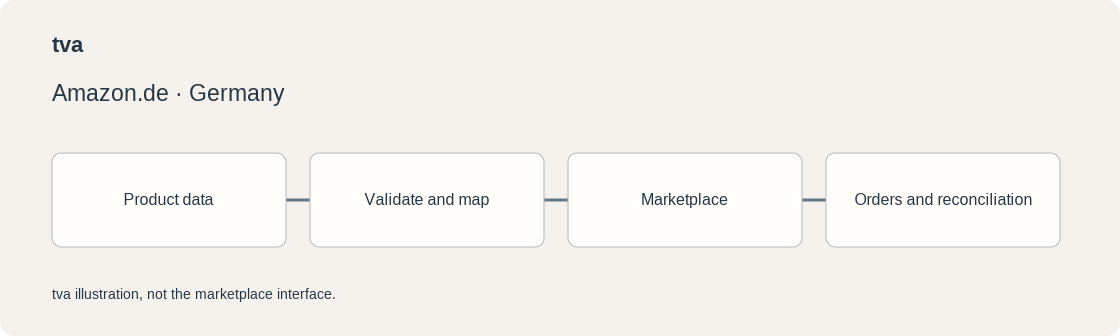
- Download the illustrative tva integration diagram (.svg)
Official sources
- Amazon Germany: 7-step seller guide ·
Amazon lists several product categories and applies different approval rules by product, category or brand.
- Amazon Global Selling: Expand to Europe ·
Amazon documents a route from the United States to its European stores via a Europe seller account and includes Amazon.de.
- Amazon Germany: Versand durch Amazon ·
Amazon documents seller fulfilment and Fulfilment by Amazon as distinct approaches.
- Amazon SP-API developer onboarding ·
The developer documentation describes roles, catalog and fulfillment workflows, and static versus operation-specific dynamic sandbox support.
- Amazon SP-API registration ·
Private seller applications require a Professional seller account and self-authorization; public applications use seller OAuth consent.
- Amazon SP-API Postman and sandbox models ·
Amazon links to first-party Postman collections and explains testing with the sandbox and Swagger models.
- Amazon SP-API listings guide ·
Amazon documents product-type definitions and the listing lifecycle.
- Amazon SP-API store identifiers ·
Amazon lists A1PA6795UKMFR9 as the German marketplace ID.
How tva can support implementation
tva can map product data, prices and stock to the channel, implement the connection and validate one order, return and payment reconciliation before expansion, then help monitor and maintain the connection.
Suggested first pilot: Pick one German product type and three representative SKUs. In sandbox or from offline fixtures, demonstrate category mapping, a rejected record and the resulting readback before agreeing any live write.
Marketplace setup and integration Discuss market entry with tva